Board contents
Text extracted from this public whiteboard for search and accessibility.
Raspberry Pi ML: TFLite + Flask API
Session 07 · ML inference on the Pi (TFLite + Flask)
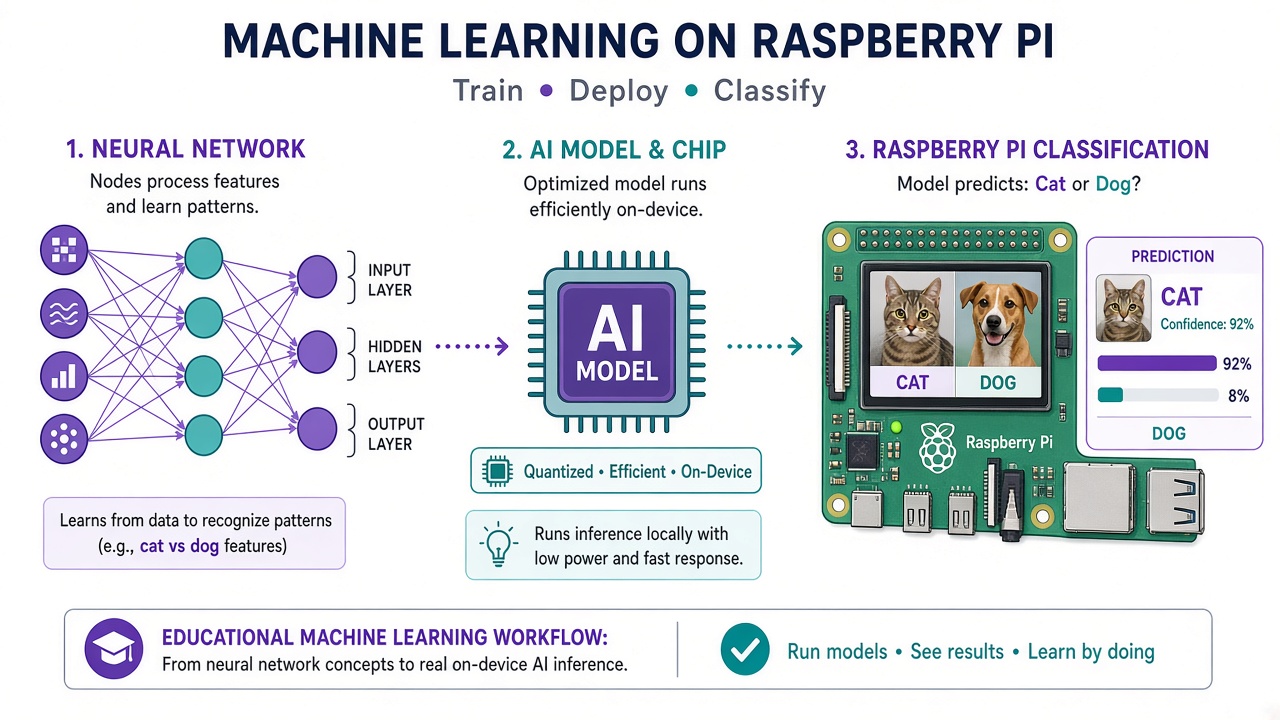
Deploy a real on‑device classifier: install the TFLite runtime, run MobileNet on an image, then expose POST /predict from Flask.
Reality check
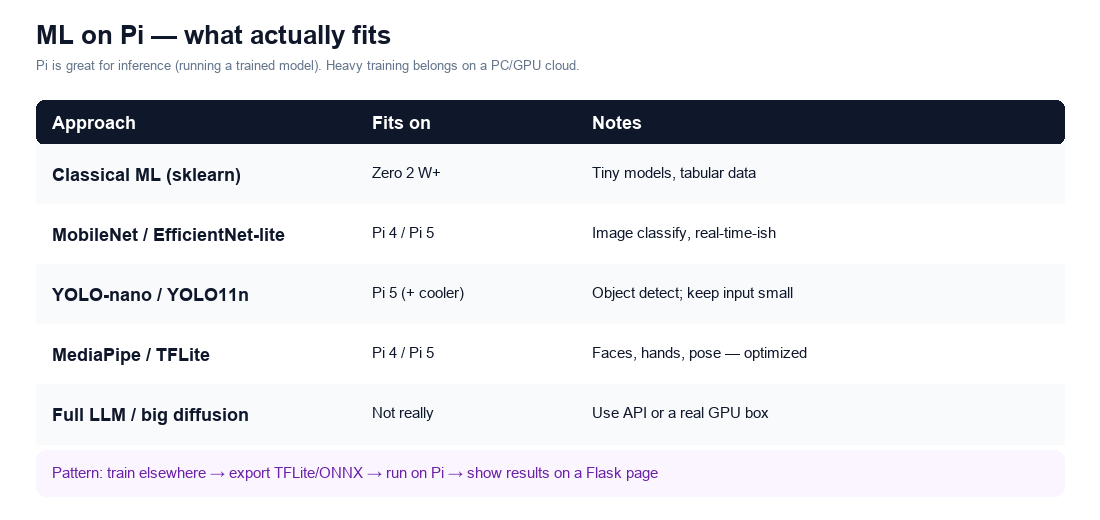
Training big neural nets on a Pi is painful. The winning pattern: train (or download) a small model elsewhere → copy to Pi → infer locally → serve results. We will use a ready‑made MobileNet TFLite image classifier — no training required today.
Step 1 — Project + packages (Pi 4/5, 64‑bit)
mkdir -p ~/projects/mldemo/{models,samples} cd ~/projects/mldemo python3 -m venv .venv source .venv/bin/activate pip install --upgrade pip pip install 'flask>=3' pillow numpy # TFLite runtime (ARM64 wheels — if this fails, see notes below) pip install tflite-runtime python -c 'import tflite_runtime.interpreter as t; print("tflite ok")'
Step 2 — Download a MobileNet TFLite model + labels
Still inside ~/projects/mldemo with venv active: cd models # Official TensorFlow example assets (URLs occasionally move — if 404, grab MobileNet TFLite from tensorflow.org/lite) curl -L -o mobilenet_v1_1.0_224.tflite \ https://storage.googleapis.com/download.tensorflow.org/models/tflite/mobilenet_v1_1.0_224_quant_and_labels.zip # If the above is a zip: sudo apt install -y unzip unzip -o mobilenet_v1_1.0_224.tflite -d . ls -la # Expect something like *.tflite and labels.txt — rename to model.tflite / labels.txt if needed: # mv *.tflite model.tflite # mv *labels*.txt labels.txt Put any JPG in ../samples/cat.jpg (scp from your laptop is fine).
Step 3 — classify.py (command-line inference)
nano ~/projects/mldemo/classify.py from pathlib import Path import numpy as np from PIL import Image from tflite_runtime.interpreter import Interpreter ROOT = Path(__file__).parent MODEL = ROOT / 'models' / 'model.tflite' LABELS = (ROOT / 'models' / 'labels.txt').read_text().splitlines() def load_interpreter(): it = Interpreter(model_path=str(MODEL)) it.allocate_tensors() return it def predict(image_path: str, topk=3): it = load_interpreter() inp = it.get_input_details()[0] out = it.get_output_details()[0] h, w = inp['shape'][1:3] img = Image.open(image_path).convert('RGB').resize((w, h)) x = np.expand_dims(np.array(img), axis=0) if inp['dtype'] == np.float32: x = (x.astype(np.float32) - 127.5) / 127.5 else: x = x.astype(inp['dtype']) it.set_tensor(inp['index'], x) it.invoke() probs = it.get_tensor(out['index'])[0] if probs.dtype != np.float32: probs = probs.astype(np.float32) # quantized models: scale if needed; for many label packs argmax still works idxs = probs.argsort()[::-1][:topk] return [(LABELS[i] if i < len(LABELS) else str(i), float(probs[i])) for i in idxs] if __name__ == '__main__': import sys path = sys.argv[1] if len(sys.argv) > 1 else 'samples/cat.jpg' for label, score in predict(path): print(f'{score:.3f} {label}')
Step 4 — Run CLI classification
cd ~/projects/mldemo source .venv/bin/activate python classify.py samples/cat.jpg # Expect top labels with scores printed
Step 5 — Wrap with Flask API
nano ~/projects/mldemo/app.py from flask import Flask, request, jsonify from classify import predict import tempfile, os app = Flask(__name__) @app.get('/') def home(): return 'POST an image to /predict as multipart field "file"' @app.post('/predict') def do_predict(): f = request.files.get('file') if not f: return jsonify(error='missing file'), 400 with tempfile.NamedTemporaryFile(suffix='.jpg', delete=False) as tmp: f.save(tmp.name) path = tmp.name try: results = predict(path) finally: os.unlink(path) return jsonify(predictions=[{'label': l, 'score': s} for l, s in results]) if __name__ == '__main__': app.run(host='0.0.0.0', port=5001)
Step 6 — Call the API from your laptop
# on Pi cd ~/projects/mldemo && source .venv/bin/activate && python app.py # on laptop curl -F file=@./some-photo.jpg http://mypi.local:5001/predict # JSON predictions come back
If tflite-runtime won’t install
• Confirm 64‑bit OS: getconf LONG_BIT → 64 • Try: pip install tensorflow-cpu (heavier) or onnxruntime with an ONNX model • Pi Zero may be too tight — use Pi 4/5 • Fall back: classic sklearn joblib model for tabular sensors (still valuable!)
Stretch goals
• Point /predict at Session 06 captures/ • Dockerise app + model (Session 05) • Add a tiny HTML form that uploads a photo • Swap MobileNet for a model you trained on your own dataset (export TFLite)
Checklist
☐ classify.py prints labels for a sample image ☐ POST /predict returns JSON from your laptop ☐ You can explain train‑elsewhere / infer‑on‑Pi You now have the full edge path: boot → web → GPIO → Docker → vision → ML.